
A lot of people ask me how I use AI to code and what kind of prompts I send to an LLM to get quality code. I decided to gather here, based on my own prompts and my experience on real projects, what has been working for me day to day.
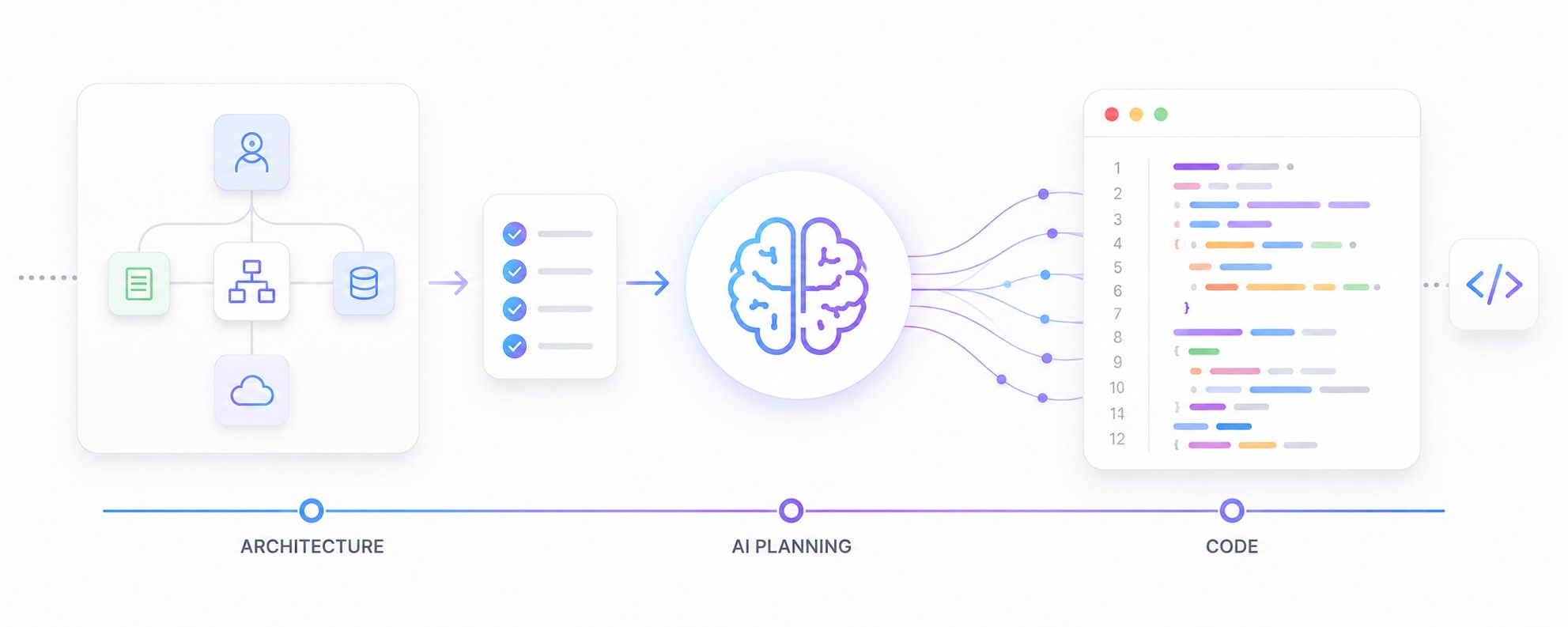
For me, using Artificial Intelligence 🤖 to code is, above all, about starting with architecture 🏗️ and ending with code ⌨️.
Generally, we are used to writing the code first and only thinking about the architecture once the code is working. With AI, the right order is exactly the opposite: you define the architecture, the rules, and the style, and only then let the model write the code.
The more context 💡 you give the model before the first line of code, the better the result and the smaller the rework.
What you need to tell the model 📋
For an LLM to generate quality code, it needs enough context about what you want to build. Before asking for a single line of code, describe clearly:
- 🧭 Introduction Context
- 🎯 Project Goal
- 📜 Business Rules
- ⚙️ Features and How To Do Each Feature
- 👤 User Flow
- 🔀 Data Flow
- 🔌 API and Integration Flow
- 🔐 Authentication and Session Flow
- 🛠️ Tools and Frameworks (with versions)
- 🧩 How Things Work Together
- 🗂️ Project Organization (MVVM, MVC, etc.)
- 🧠 State Management
- 🗺️ Navigation Structure
- 🎨 UI/UX Direction
- 🌈 Colors, Assets, Branding, and Visual Identity
- 💾 Storage Strategy
- 🌍 Localization Strategy
- 🚨 Error Handling Strategy
- 🛡️ Security Rules
- ✍️ Code Format
- 📐 Code Patterns
- 🚫 Guards (do not create: fallbacks, dirty code, legacy code, tests, documentation)
- ✅ Review and Quality Process
📌 These topics form the "architectural briefing" of the project. Without them, the model improvises — and improvisation, in code, becomes technical debt.
💡 A practical example
Below is a real example of an architectural prompt that you can use as a starting point. Each section defines precisely what the model should and should not do.
🧭 Introduction Context
You are building a modern iOS application called "Avinu" using SwiftUI from a new Xcode project.
The app must follow a clean, minimalistic, elegant, and highly professional visual style.
The focus is scalability, maintainability, clean architecture, reusable components, and excellent UX.
The application must feel similar to modern premium apps with smooth navigation, soft spacing, clean typography, and organized layouts.
🎯 Project Goal
Create a maintainable iOS app with authentication, home, categories, search, and profile screens using a scalable and organized structure.
The app must be prepared for future expansion without generating technical debt.
📜 Business Rules
- Only authenticated users can access Home, Categories, Search, and Profile.
- The session must persist across app launches until the user logs out.
- Password recovery is handled via email.
- Categories and content are loaded from a remote source.
- Recent search history is limited to the last 10 entries per user.
⚙️ Features and How To Do Each Feature
🔑 Authentication
- Create a login screen with:
- Email field
- Password field
- Login button
- Button to navigate to register
- Forgot password button
- Create a register screen with:
- Name field
- Email field
- Password field
- Confirm password field
- Register button
- Button to navigate back to login
🏠 Home
- Create a clean home screen with:
- Welcome section
- Highlight cards
- Categories preview
- Recent content section
- Smooth vertical scrolling
📁 Categories
- Create a categories screen with:
- Search field
- Categories list
- Rounded category cards
- Icon/image support
🔎 Search
- Create a search screen with:
- Search input
- Recent searches section
- Results list
- Empty state
🙋 Profile
- Create a profile screen with:
- User avatar
- User name
- User email
- Settings section
- Logout button
👤 User Flow
- First app launch: login screen.
- Valid login: user enters the main TabView (Home → Categories → Search → Profile).
- New registration: after success, returns to the login screen.
- Forgot password: sends a recovery email and returns to login.
- Logout: clears the session and returns to the login screen.
🔀 Data Flow
- Views do not access data directly; they observe ViewModels.
- ViewModels consume Services for any data operation.
- Services encapsulate access rules, parsing, and error handling.
- Models define the structures passed between layers.
- No layer should depend on details of the layer above it.
🔌 API and Integration Flow
- All remote communication goes through dedicated Services.
- Responses are typed with Models, no loose dictionaries.
- Network and parsing errors are converted to domain errors before reaching the View.
- Base URL, timeout, and header configurations are centralized.
- Authentication is automatically injected into authenticated requests.
🔐 Authentication and Session Flow
- Login returns an access token and basic user data.
- The token is stored securely in the Keychain.
- Authentication state is observed at the root of the app, deciding between the authentication flow and the main flow.
- Token refresh happens transparently when needed.
- Logout clears the Keychain and the session state.
🛠️ Tools and Frameworks (with versions)
- iOS
- Swift
- SwiftUI
- Xcode latest stable version
Do not use UIKit unless strictly necessary.
Do not add external libraries unless explicitly requested.
🧩 How Things Work Together
- SwiftUI controls the entire interface.
- The app state decides whether authentication or main screens are visible.
- The main navigation uses TabView.
- Each screen has its own View and ViewModel.
- Shared UI components must be reusable.
- Shared visual styles must stay centralized.
🗂️ Project Organization (MVVM, MVC, etc.)
Use this exact structure:
- App/
- Assets/
- Components/
- Helpers/
- Models/
- Services/
- ViewModels/
- Screens/
Inside Screens:
- Authentication/
- Home/
- Categories/
- Search/
- Profile/
Each screen folder should contain:
- View
- ViewModel
- Components if needed
🧠 State Management
Use SwiftUI state management.
- @State
- @Binding
- @StateObject
- @ObservedObject
- @EnvironmentObject
Use ViewModels for screen state and business logic.
Keep Views focused on presentation.
🗺️ Navigation Structure
Use TabView as the main app navigation.
Tabs:
- Home
- Categories
- Search
- Profile
Authentication flow must stay isolated from main app navigation.
🎨 UI/UX Direction
- Minimalistic interface
- Soft spacing
- Rounded corners
- Clean typography
- Smooth scrolling
- Elegant cards
- Modern iOS feel
- Friendly and professional experience
- Avoid visual pollution
- Avoid heavy shadows
- Prioritize readability and spacing
Reference style:
- Modern productivity apps
- Modern finance apps
- Modern AI apps
🌈 Colors, Assets, Branding, and Visual Identity
App name:
- Avinu
Visual style:
- Modern
- Elegant
- Minimalistic
- Dark mode first
Main colors:
- Primary background: #0F1115
- Secondary background: #171A21
- Card background: #1E222B
- Primary text: #FFFFFF
- Secondary text: #AEB4C2
- Border color: #2B313D
- Primary color: #4F7CFF
- Accent color: #7B61FF
- Success color: #35C759
- Error color: #FF453A
Buttons:
- Rounded corners
- Medium height
- Strong contrast
- Clean spacing
Inputs:
- Rounded
- Dark background
- Light text
- Visible focus state
Icons:
- Use SF Symbols by default
Assets structure:
- Assets.xcassets/AppLogo/
- Assets.xcassets/Icons/
- Assets.xcassets/Illustrations/
- Assets.xcassets/Placeholders/
Logo rules:
- The main logo file must stay inside Assets.xcassets/AppLogo/
- Create app-related images based on the logo style.
- Keep all generated assets visually consistent with the logo.
- Use the same color palette and visual language.
- Avoid inconsistent icon styles.
Typography:
- Use SF Pro Display
- Use clear hierarchy
- Avoid oversized text
💾 Storage Strategy
- Keep temporary app state in memory.
- Prepare structure for future persistence.
- Avoid scattered local state.
🌍 Localization Strategy
- Prepare all UI strings for localization (NSLocalizedString).
- Initial language: English (en-US).
- Do not hardcode text directly in Views.
- Keep the structure ready to receive new languages in the future.
🚨 Error Handling Strategy
- Show simple and friendly alerts.
- Avoid technical messages for users.
- Use reusable alert helpers when possible.
- Keep error handling centralized.
🛡️ Security Rules
- Avoid exposing internal implementation details.
- Avoid unsafe force unwraps.
- Prefer safe optional handling.
- Keep sensitive logic isolated.
✍️ Code Format
- Keep methods in a single line when reasonable.
- Avoid unnecessary line breaks.
- Avoid excessive vertical spacing.
- Keep files clean and minimalistic.
- Use clear naming conventions.
- Keep code visually organized.
📐 Code Patterns
- Use MVVM.
- Keep Views presentation-focused.
- Keep ViewModels responsible for state and actions.
- Use Services for reusable logic.
- Use Components for reusable UI.
- Use Models for structured data.
- Avoid duplicated logic.
- Avoid oversized Views.
🚫 Guards
- Do not create fallbacks.
- Do not create dirty code.
- Do not create legacy code.
- Do not create tests.
- Do not create documentation.
- Do not create unnecessary abstractions.
- Do not use hacks.
- Do not create placeholder architecture.
- Do not mix unrelated responsibilities.
- Do not create giant files.
- Do not hardcode repeated visual values.
✅ Review and Quality Process
- Review the entire app visually.
- Review spacing consistency.
- Review component reuse.
- Review naming consistency.
- Review file organization.
- Review duplicated logic.
- Review code cleanliness.
- Perform a final line-by-line review.
🎯 Conclusion
Coding with AI is not "asking for code and seeing what comes out". It is about designing the architecture first 🏗️, defining all the rules, guards, and patterns — and only then letting the model generate code within that contract.
🚀 The more care you put into the architectural briefing, the less rework, less technical debt, and more quality in the final result. AI does not replace the engineer: it amplifies the engineer who thinks before coding.